
SIMPLE FLOW BUILDER
Get a retention flow live in 5 minutes - no code needed
A guided 6-step wizard that walks you through survey setup, offer mapping, feedback, design, and publishing. Perfect for founders and small teams who want results fast.
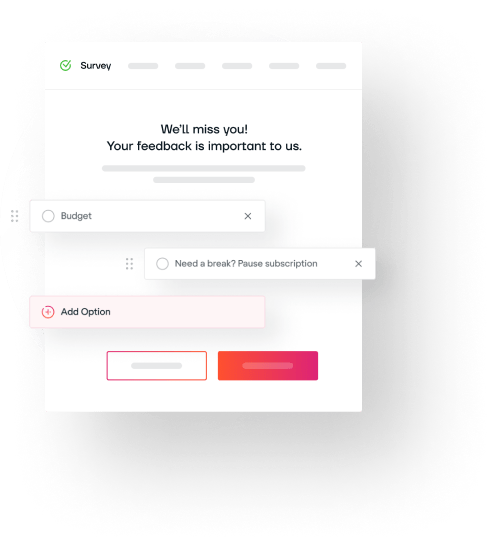
Build and Deploy Your Exit Survey in Record Time
Step-by-step guidance guarantees you configure cancellation reasons, discount offers, feedback forms, and theme styles without any coding.
HOW IT WORKS
Step by step
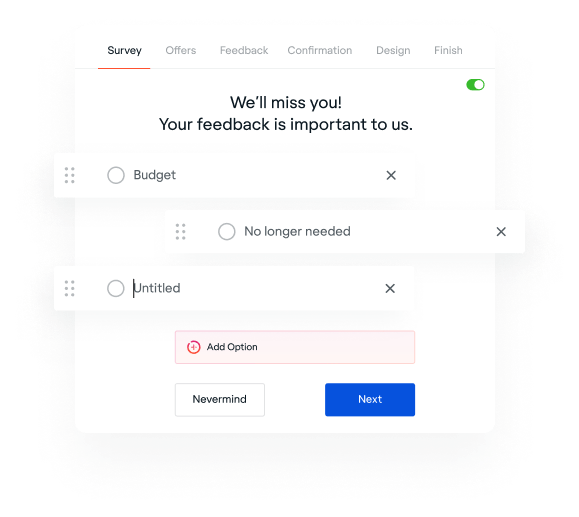
Configure survey
Add a heading, subheading, and 3-5 cancellation reasons. Toggle email collection on or off. Drag to reorder.
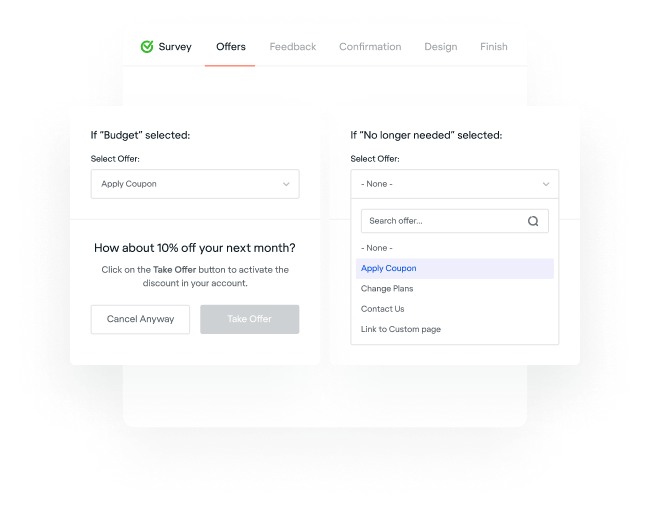
Map offers to reasons
For each cancellation reason, pick an offer from your library - discounts, pauses, or custom. Create new offers inline.
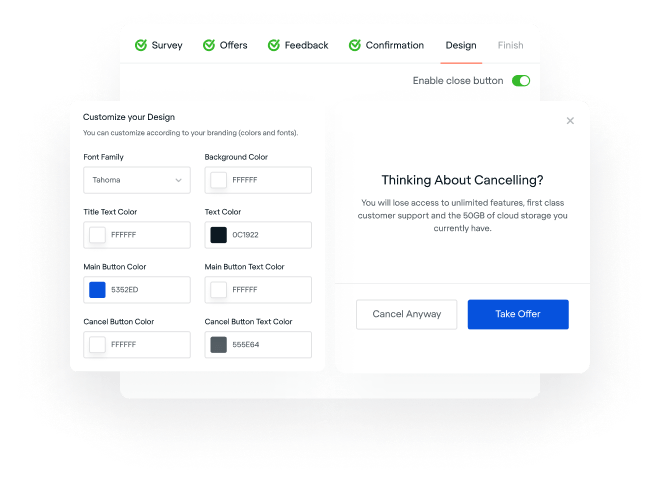
Customize and publish
Set feedback text, confirmation copy, brand colors, and button styles. Hit Publish - your flow is live immediately.
Who this is for
Solo founders
You don't have a design team or engineers to spare. Simple Builder gets you from zero to live retention flow in one sitting.
Marketing teams
Non-technical team members can build and iterate on retention flows without touching code or asking engineering for help.
Quick experiments
Test different offer strategies fast. Create multiple simple flows, publish them, and compare retention rates in analytics.
Frequently Asked Questions
The Simple Builder has 6 steps: survey setup (heading, reasons, email toggle), offer mapping (link offers to each reason), feedback configuration, confirmation copy, design customization (colors, fonts, buttons), and publish.
Yes. While mapping offers to cancellation reasons, you can create new offers inline without leaving the builder. The offer dropdown refreshes automatically after creation.
Publishing converts your simple configuration into a full flow schema and makes it live at /c/your-slug. You get an embed snippet and the option to email setup instructions to your developer.
Ready to reduce churn?
Free forever. No credit card required.