
API, WEBHOOKS & MCP
Developer-first. Full control via REST, webhooks, and AI tools.
Complete REST API with API key auth, real-time webhook forwarding, and a 32-tool MCP server for AI assistants. Rate-limited with Upstash Redis.
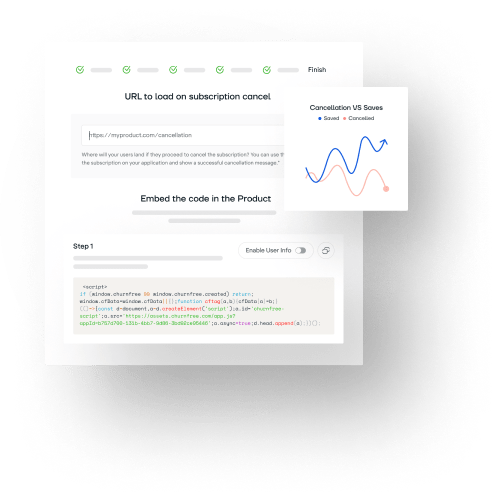
Single Script Embed, Webhooks & 32-Tool MCP Server
Embed into any web application with one line of HTML or automate retention workflows with webhooks, REST endpoints, and Model Context Protocol (MCP).
HOW IT WORKS
Step by step
Generate an API key
Go to Settings - API Keys. Create a key. It's shown once - copy it. Keys are SHA-256 hashed, never stored in plain text.
Make API calls
Use the REST API at /api/v1/public/... with your key in the Authorization header. Full CRUD + AI endpoints.
Set up webhooks and MCP
Configure webhooks in Settings - Notifications. For AI tools, install @retainq/mcp from npm with your API key.
Who this is for
Automate with Zapier/Make
Webhook to Zapier to apply discount in Stripe. Or to Slack notification. Or to HubSpot CRM update. No custom code.
Custom integrations
Build your own dashboard, sync data to your warehouse, or integrate RetainQ into your existing admin panel.
AI assistants
Let Claude, Cursor, or Kiro manage your retention strategy via the MCP server. Create flows, analyze churn, confirm opportunities.
Frequently Asked Questions
Go to Settings - API Keys in your RetainQ dashboard. Click Create Key, give it a name, and copy it immediately. The key is shown only once and stored as a SHA-256 hash - it cannot be retrieved later.
The MCP (Model Context Protocol) server lets AI assistants like Claude, Cursor, and Kiro manage your RetainQ account. Install @retainq/mcp from npm, configure it with your API key, and the AI can create flows, manage offers, analyze churn, and more through 32 available tools.
REST API requests are rate-limited at 120 per minute per API key. AI-related endpoints (churn intelligence) have a separate limit of 5 per minute. Rate limiting is enforced via Upstash Redis sliding window. Exceeding limits returns HTTP 429.
Ready to reduce churn?
Free forever. No credit card required.